
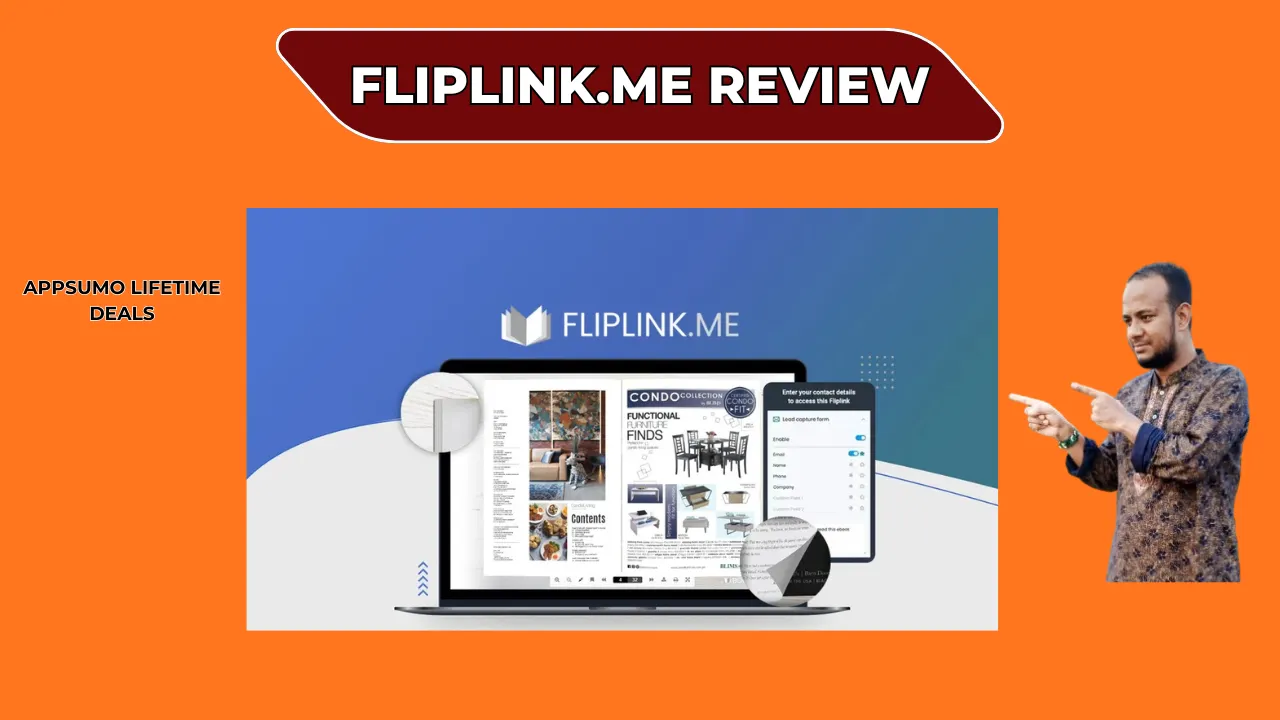
Welcome To My FlipLink.me Review:
If you hate sending dull PDF files to clients, try FlipLink.me. This tool turns your static PDFs into cool, online flipbooks. They are easy to track and interact with. I was not sure at first. After testing the lead capture and CNAME features, I am happy. This FlipLink.me review is a thumbs up for business owners. It is a powerful, low-cost tool. It truly makes reading better. Let’s look at my full experience.
👉 Appsumo Lifetime Deals For – $129 👈
What is FlipLink.me?
FlipLink.me is an online tool. It changes your normal PDFs into lively, page-turning digital books. This includes catalogs, guides, or papers. It is a link for marketing. It takes an old document and adds tracking and branding. For my US work, I use tools like Google Analytics. This is key for checking my profit. FlipLink makes your files look good. It makes them work harder for you.
Key Features of FlipLink.me
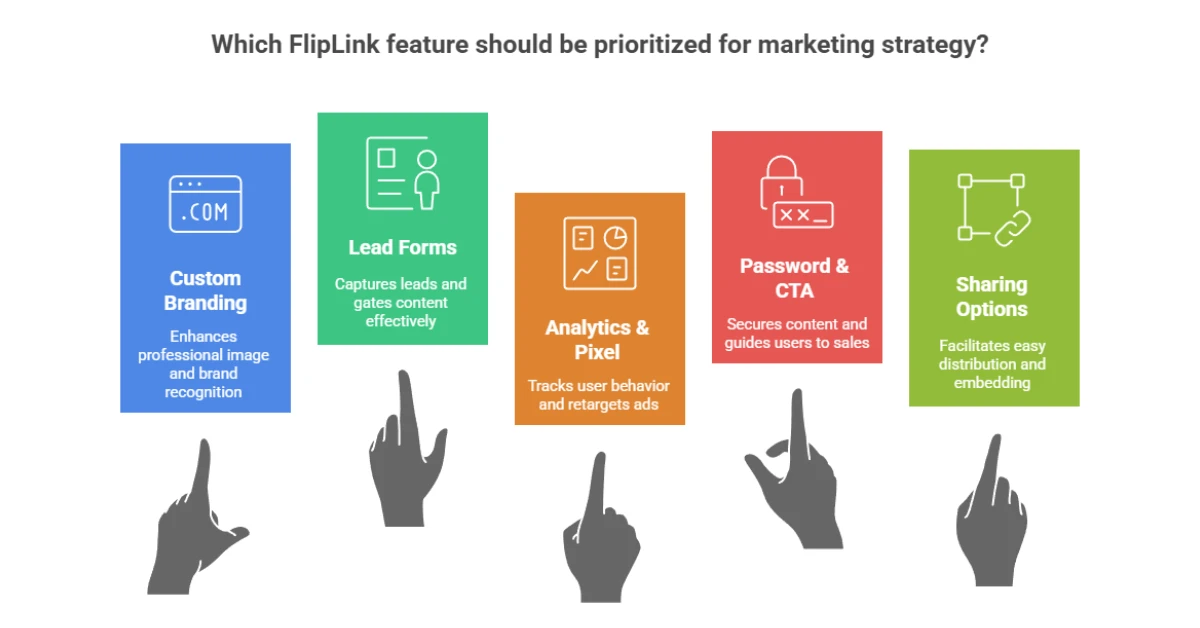
FlipLink is more than just page flips. It has a strong marketing engine built in. These features turn a simple reader into a great marketing asset.
✍ Custom Brand & CNAME: You can remove the FlipLink name. You can host the book on your own site, like books.yourdomain.com. This looks great and is very pro for your audience.
✍ Lead Forms: You can add lead forms right into your flipbook. The form can show up at once. Or it can show up after the viewer reads a few pages. This helps you gate your best content.
✍ Analytics & Pixel: FlipLink works with Google Analytics. It also works with Facebook Pixel and Google Tag Manager. This helps you track views. You can see how people read. You can run new ads to those who saw your books.
✍ Password & CTA: Protect your files with a password. Add up to two custom Call-to-Action (CTA) buttons. This guides readers to your sales page easily.
✍ Sharing: Share the file as a link. Embed it on your website with simple code. You can also make a shareable QR Code.
How Does FlipLink.me Work?
The steps to make a branded, trackable FlipLink are very simple. I got my first document ready in about five minutes.
Step #1: Convert: I just uploaded my PDF file. FlipLink did the rest for me at once.
Step #2: Customize: Next, I added my company logo in the settings. I picked a background color. I set up my custom web link. I also turned on the lead form here. I added my Google Analytics ID.
Step #3: Share: I took the final link. I shared it in an email. Or I used the embed code on my web page.
Step #4: Track: Once shared, I checked the viewer’s activity. I used the FlipLink dashboard. I also checked my analytics. This showed me how well the file was doing.
What I Like
I always try to work better and brand better. These are the things about FlipLink.me that I liked most.
✅ Easy CNAME and White Label: I love that I can map my content to my own web address. In the busy US market, looking professional is key. The white-label CNAME ensures my files look 100% like my company. This quickly builds trust.
✅ Lead Form Timing: I found that showing the form after three pages is best. This got me better leads. The reader is already hooked on the content. They are happy to give their email to read the rest. It is a smart way to get good leads.
✅ Simple PDF Swap: Before, I had to change links every time I updated a guide. Now, I just uploaded the new PDF. The old FlipLink web link stays the same. This saves so much time and keeps all my site links correct.
What Could Be Better
The FlipLink.me process is great, but no tool is perfect. Ideas for change help the tool get better. This gives you an honest view.
- Better Read Data: I want to see native reports that show me where people stop reading. The tool shows total views. But seeing what page people quit on would help me write better content.
- No Live Video or Image Add-ons: You must add all images and links to your PDF before you upload it. FlipLink cannot add videos later. Simple video adding would be a huge plus.
- Limited Direct CRM Links: I want quick support for Zapier or Webhooks. This would send leads right to my CRM. Relying on Pabbly Connect can take an extra step. More direct options would help US firms using common sales tools.
Who Should Use FlipLink.me?
FlipLink.me is best for firms that use many visual, long-form documents.
- Marketers: Use it to turn papers and guides into trackable lead tools.
- Real Estate Agents: Use it to show house listings or buyer guides. It looks clean and is easy to share.
- Designers & Photo Pros: Use it to show design books or photo albums. The auto flip and music features create a nice feel.
- Online Stores: Use it to make digital catalogs. Add links that take shoppers straight to the product page.
My Personal Experience with FlipLink.me
Before FlipLink, my team just sent PDF files. We had no idea if anyone read them. Now, it is totally different.
I made a few key guides fast. I used the lead-capture form to get emails. The setup was very easy. I just uploaded the file and added my tracking code. The custom web link made my content look serious. This is key for US business clients.
One time, I updated my catalog with new prices. The old link kept working with the new file. No more broken web links! The team was helpful when I had a question about the CNAME setup. Good support is vital for any business.
Great Points I Noticed:
- “It is so easy to use. I had a full book live in just a few minutes.”
- “Lead capture works well. The leads I got were much higher quality.”
- “The CNAME feature saved my brand name. It looks like I will host the book myself.”
- “I can swap the PDF without changing the link. This saves me so much time.”
Comparing With Other Brands
You may think of a tool like Bitly for sharing links. FlipLink and Bitly do different jobs. Bitly just shortens and tracks a link. FlipLink is a content platform. It creates and hosts the content. Then it tracks it with deep tools.
| Feature | FlipLink.me | Bitly (Link Shortener) |
| Main Job | Makes PDF into flipbook | Makes URL shorter |
| Hosts Content | Yes, holds the file | No, just moves the link |
| Gets Leads | Yes, has forms | No, needs another page |
| Custom Brand | Yes (CNAME, logo) | Yes (Custom short link) |
| Tracking | Viewer actions, Pixels | Link clicks, location |
| Best Use | Marketing, catalogs | Simple link sharing |
Pros and Cons of FlipLink.me
👍Pros (Good Points)
- Ready for Sales: Great lead forms and Pabbly link-up.
- Full Custom Look: Pro white-label CNAME and logo.
- Updates Are Easy: Change the PDF file without changing the web link.
- Low Cost: Often has a one-time purchase deal. Good for long-term use.
👎Cons (Bad Points)
- Needs Better Data: No native page-by-page reading reports.
- PDF Only: You cannot add new videos or images after the upload.
- No Live Edit: You must re-upload the PDF to change any text.
- Small Free Plan: The free account is small. Serious users need to pay.
Recommendation
My last thought is that FlipLink.me is a great choice. This is true for those who need good lead capture and strong branding.
✅ You Should Buy FlipLink.me If:
- You are a Marketer or Small Business sending many guides and catalogs.
- You want to get leads from your files and use them in your sales process.
- You need full branding and want the files to look like your own on your web address.
- You want a low-cost, one-time payment tool to replace a costly yearly fee.
⚠️ You Should Check Other Tools If:
- You need advanced editing to change text or videos after the PDF is uploaded.
- You must have very detailed reading data (like heatmaps) that Google Analytics cannot give you.
- FlipLink.me offers great value for its price and features. It quickly pays for itself. It changes passive readers into real leads.
Frequently Asked Questions About FlipLink.me
Q: What file formats does FlipLink.me accept for conversion?
A: FlipLink.me only works with PDF format documents. The tool quickly turns any PDF into a fun, trackable flipbook with page-turning motion.
Q: Can I remove the FlipLink branding from my flipbooks?
A: Yes, you can easily take out the FlipLink name. Use the CNAME feature to link the flipbook to your own website address. This makes it look 100% like your brand.
Q: Does FlipLink support lead generation and sales tracking?
A: Yes, it does both. FlipLink has built-in lead forms. It links with Facebook Pixel and Google Analytics. This helps you get leads and track sales from your content.
Q: Is it possible to update a FlipLink with a new PDF later?
A: Yes, this is a key feature. Just upload a new PDF file to your account. The web link and embed code will update right away with the new content.
Q: Can I embed FlipLink flipbooks on my WordPress website?
A: Yes, embedding is very easy. FlipLink gives you a simple code. You can copy and paste this code onto any website, including WordPress, to show the flipbook.