
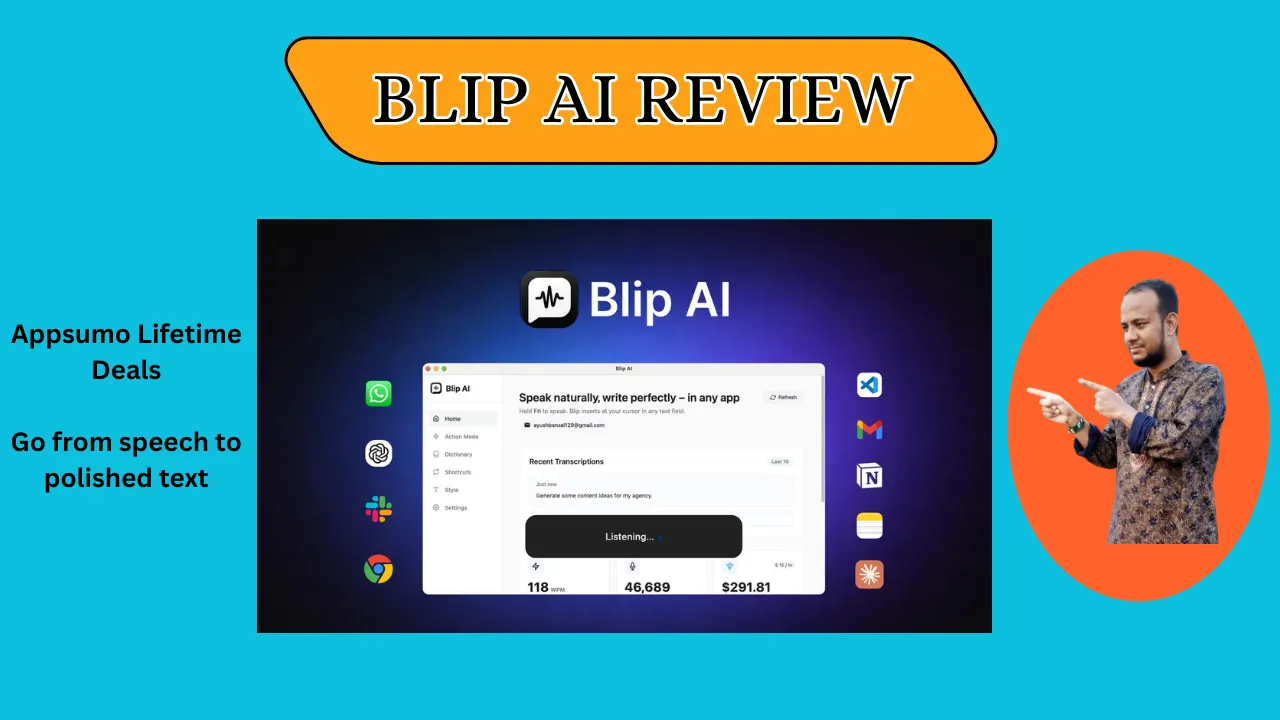
Welcome to My Blip AI Review:
Are you tired of typing every email? This Blip AI review shows how I turn messy speech into clean text fast. As a tool tester, I can say it saves me hours of work daily. If you want to stop typing and start talking, read on to see if it fits you.
👉 Appsumo Lifetime Deals For – $49 👈
What is Blip AI?
Blip AI is a smart tool that turns your voice into clean text in any app. It works on Mac, Windows, and Android to fix your speech as you talk. It removes “um” and “uh” so your notes look professional right away. This tool acts as a real-time editor for your voice in Slack or Gmail.
Key Features of Blip AI
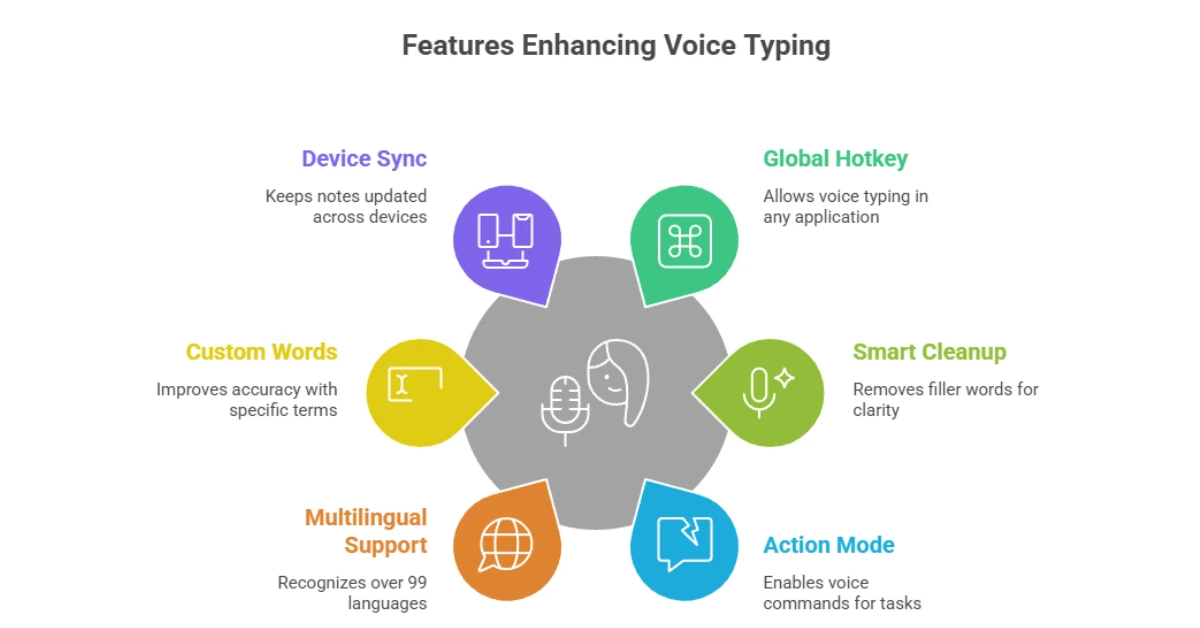
Blip AI packs useful tools that make voice typing feel effortless. Here are the main ones I use regularly:
✍ Global Hotkey: Press one key to talk in any app on your PC.
✍ Smart Cleanup: It cuts out “ums” and “uhs” from your talk.
✍ Action Mode: Say “Hey Blip” to draft emails or ask quick questions.
✍ 99+ Languages: It supports and finds almost any language you speak.
✍ Custom Words: Add tech names to make the AI more accurate.
✍ Device Sync: Your notes stay updated on your phone and your PC.
How Does Blip AI Work?
Using Blip AI feels straightforward once you try it a few times. Here’s how it goes for me:
Step #1: Set Your Key: Pick a key like “Fn” to wake the app.
Step #2: Start Talking: Hold the key and speak at a normal pace.
Step #3: Watch the Magic: The app fixes errors and drops text where you type.
Step #4: Use Actions: Say “Hey Blip” to write a full draft instead of just words.
Step #5: Finish Up: Let go of the key, and your clean text is ready
What I Like About Blip AI
✅ The Speed: I love how quickly text shows up in Slack without me typing. It feels like magic when my talk turns into a clean sentence. This tool makes me feel four times faster during a busy US work day.
✅ The AI Command: I asked it to “write a note to my boss,” and it did it in seconds. It knows if a chat is casual or formal for work. This feature is a big win for clearing a full inbox.
✅ Privacy First: I like that the work stays on my device and not on a server. I feel safe using it for private work files or personal notes. Local processing provides me peace of mind while I work.
What Could Be Better
- The Word Limit: The free plan only gives 2,000 words, which goes fast. I wish there was a larger trial to test it more. A bigger free tier would help new users learn the flow.
- Learning Curve: It took me a few tries to get the “Hey Blip” timing right. I spoke too soon before the app was ready to hear me. A small light or sound could help users know when to talk.
- Mobile Features: The Android app is good, but I want more AI actions on it. Having full power in my pocket would be great. More mobile updates would make the sync even better.
Who should use Blip AI?
- Busy Bosses: If you have 50 emails to write, this tool saves your hands and time.
- Content Creators: It is excellent for talking out scripts or blog ideas on the go.
- Coders: Use it in VS Code to explain your code without typing.
- Students: Use it to take notes in class or write papers much faster.
My Personal Experience with Blip AI
Using Blip AI changed how I fix my “email mountain” here in the USA. I used to spend an hour typing, but now I talk while I drink my coffee. It knows my accent and never misses a beat on tech terms.
- Slack: “Hey team, see you at 10.” (Time: 2 seconds)
- Gmail: “Draft a thank-you note.” (Time: 5 seconds)
- Notes: “Buy milk and call the bank.” (Time: 1 second)
My favorite part is that it makes me sound smart by fixing my messy thoughts. This tool has turned my voice into my best work weapon.
Comparing With Other Brand
I also used Wispr Flow, which is a popular voice tool for PCs. Wispr is smooth, but Blip AI felt more helpful with its “Hey Blip” commands.
Blip AI vs Wispr Flow: Quick Comparison
| Feature | Blip AI | Wispr Flow |
| Languages | 99+ | Many |
| Hotkeys | You Choose | Fixed |
| AI Commands | Yes | Limited |
| Free Tier | 2,000 Words | Varies |
Pros and Cons of Blip AI
👍 Pros:
- Fast and accurate
- Works in every app
- Fixes filler words
- Keeps data private
👎 Cons:
- The free plan is small
- Needs a web link
- It takes time to learn
- The pro cost is $12
Recommendation
I highly suggest Blip AI for US pros who work at a screen all day. If your hands feel tired by noon, this tool will give them a break. It is best for those who want to write emails at the speed of thought.
If you only send a few short texts, the $12 fee might feel high. Try the free version first to see how much you use it. Once you start talking to your PC, you will never want to type again.
Frequently Asked Questions About Blip AI
Q: Is Blip AI free to use?
A: Yes, you can start for free with 2,000 words. You do not need a card to try it.
Q: Does it work on Windows and Mac?
A: Yes, it works on Mac and Windows. It also has an app for Android.
Q: Is my voice data private?
A: Yes, Blip does not store your voice. All work is done safely on your device.
Q: Can it remove “um” and “uh” sounds?
A: Yes, the smart cleanup finds filler words. It takes them out so your text is clean.
Q: What is Action Mode?
A: Action Mode lets you give tasks like “write an email.” Just say “Hey Blip” to start.